 Tackora
Every ticket is an agent session.
Tackora is a Kanban board where each card runs Claude Code in its own terminal. See which agents are working, which are done and which need you, and how much of your plan is left. Work directly on your branch or give a ticket its own worktree; cards move on their own as the work gets done.
Linux: picks the right package for your distro
curl -fsSL https://anas1412.github.io/tackora/install.sh | bashVersion 0.3.6. Other packages (.deb, .rpm, .msi, AUR) are on the download page.
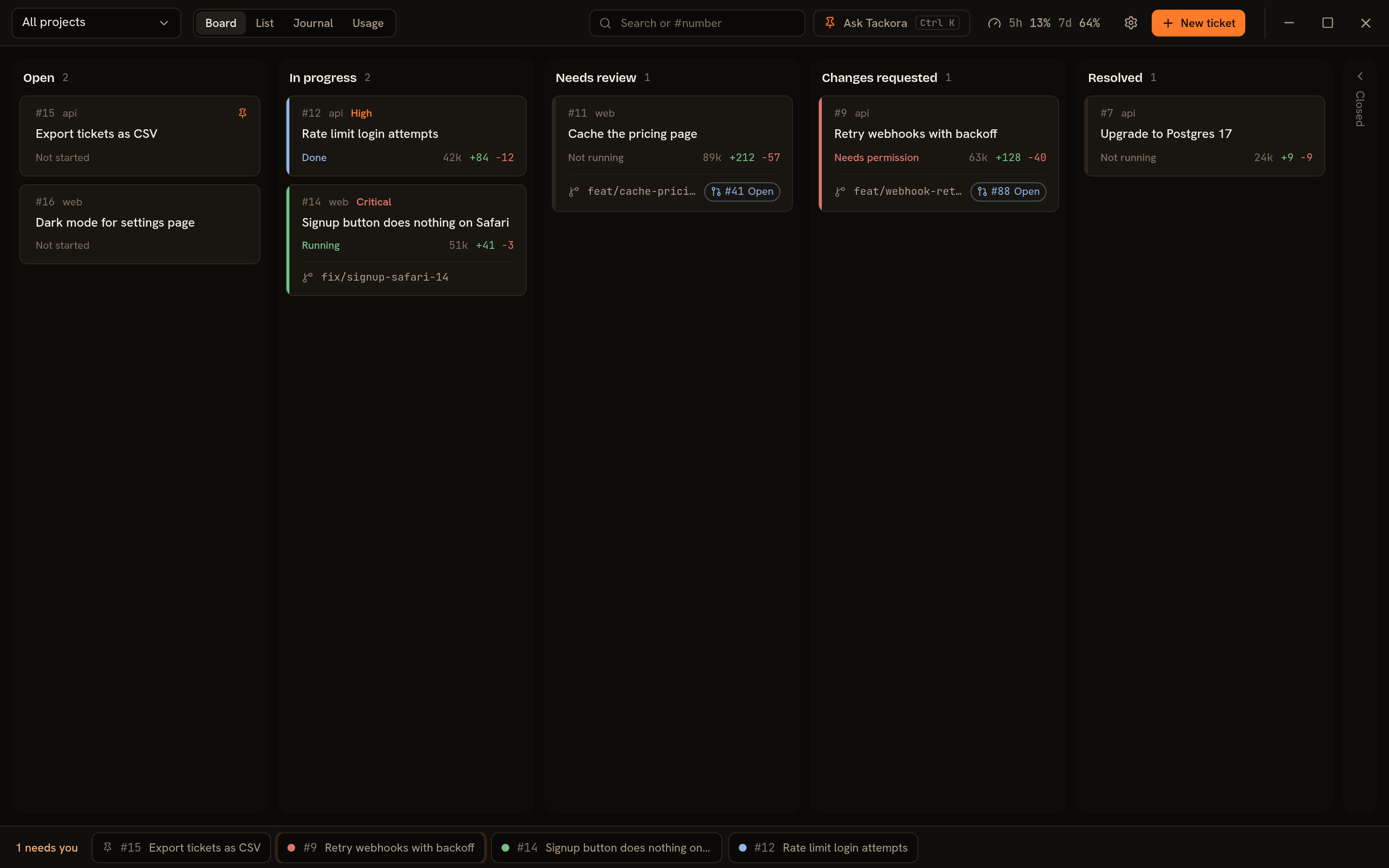
- Needs permission
- The agent is blocked, asking to run a command or edit a file.
- Running
- The agent is working on your last prompt.
- Done
- Its turn is finished. Reply whenever you like.
- Plan limits
- Claude's 5-hour and 7-day usage, always in view.
The agent runs inside the ticket
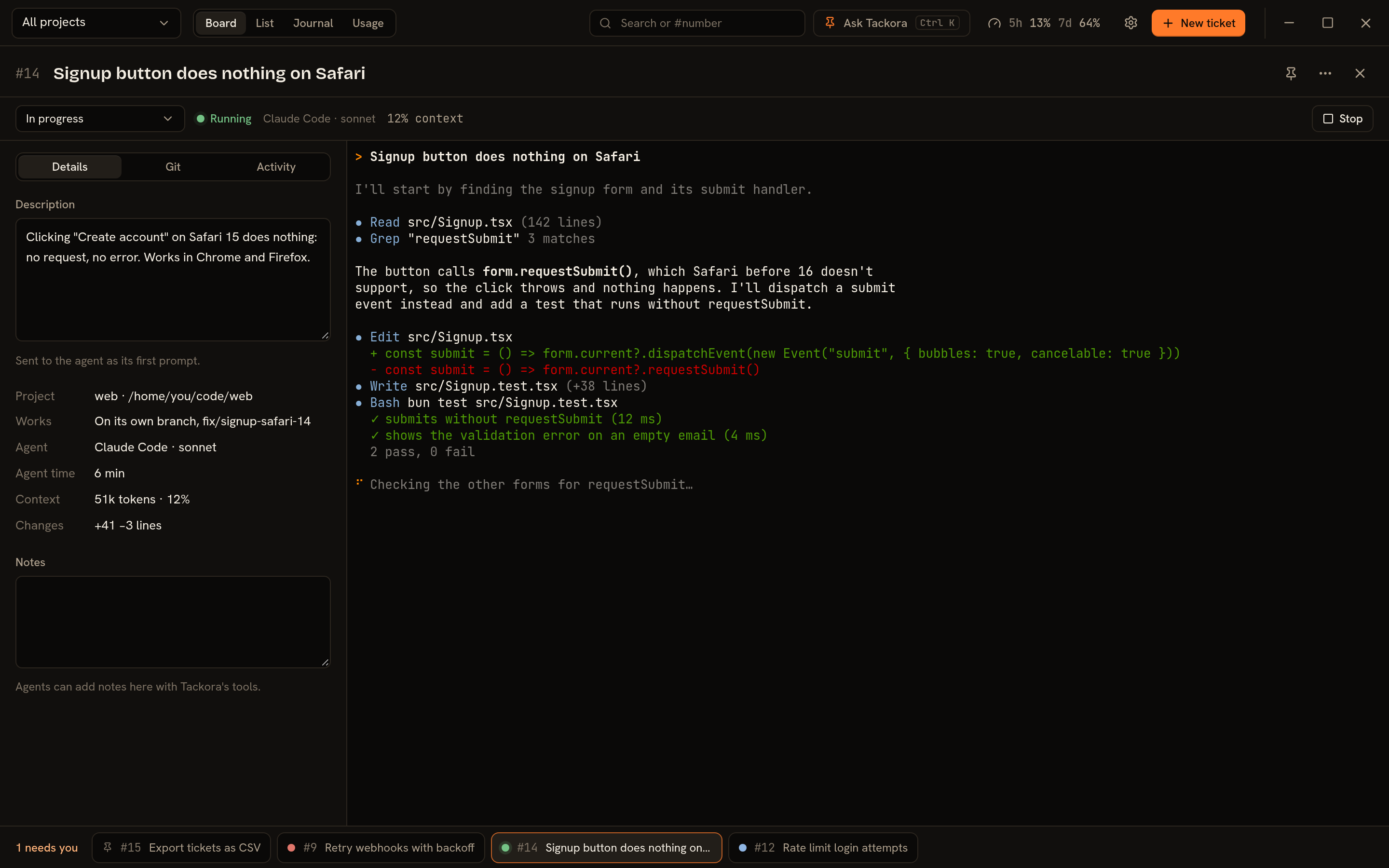
Start a ticket and the real Claude Code CLI opens in its terminal, with the ticket as its first prompt. Your settings, shortcuts and slash commands all work. Close the ticket and the session keeps running; open it again to pick up where it is.
Work on your branch, or give it a worktree
By default a ticket works directly in the project, on the branch you have checked out. Turn on a branch and worktree and it gets its own folder, so several agents can work side by side. Submit for review opens a pull request, and merging it resolves the ticket and cleans up the worktree.
Ask Tackora
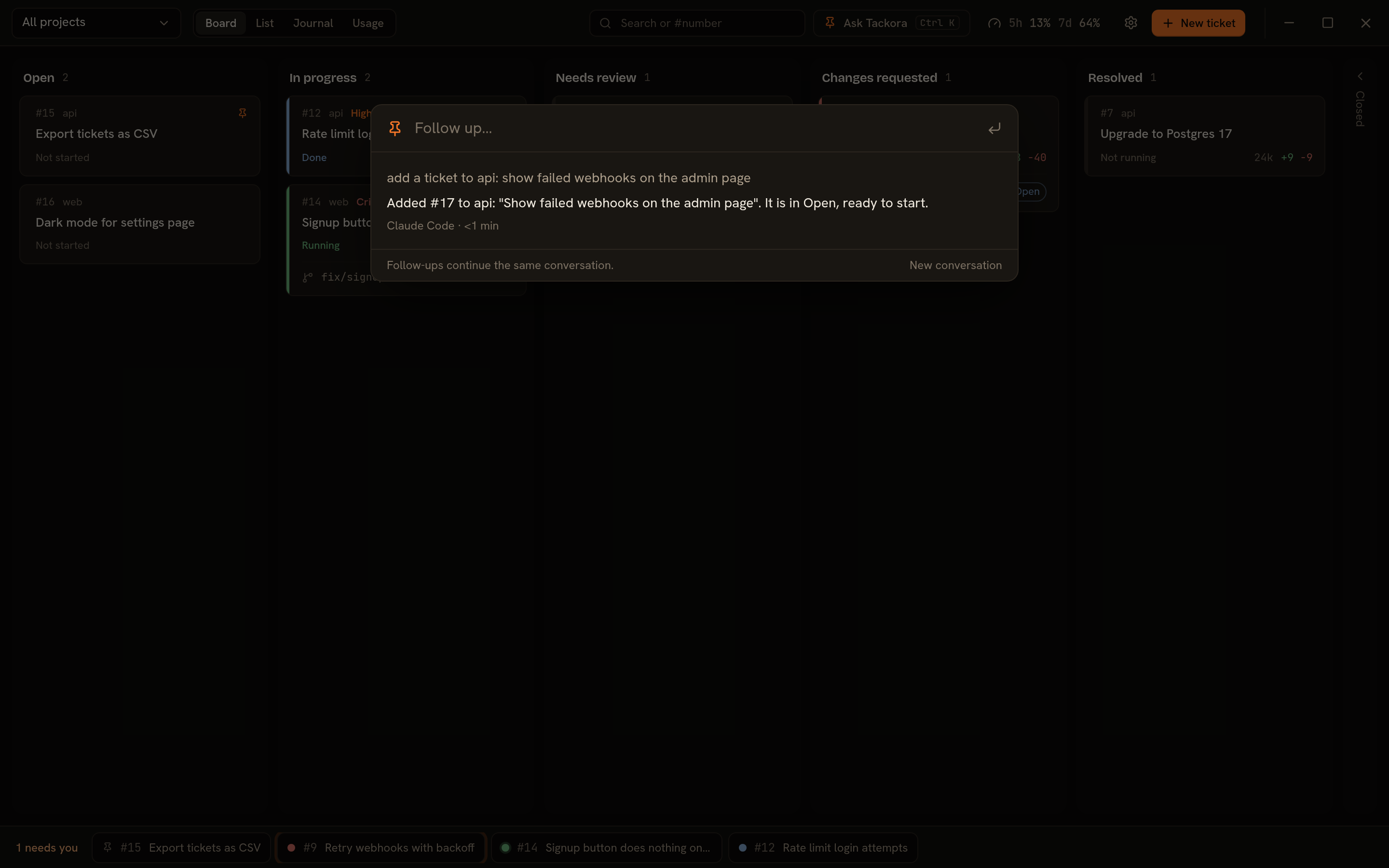
Press Ctrl+K and say what you want: clone a repository, file a ticket, find what's waiting for you. Your agent does it with Tackora's own tools, and anything destructive waits until you allow it.
Plan limits, agent time and changes
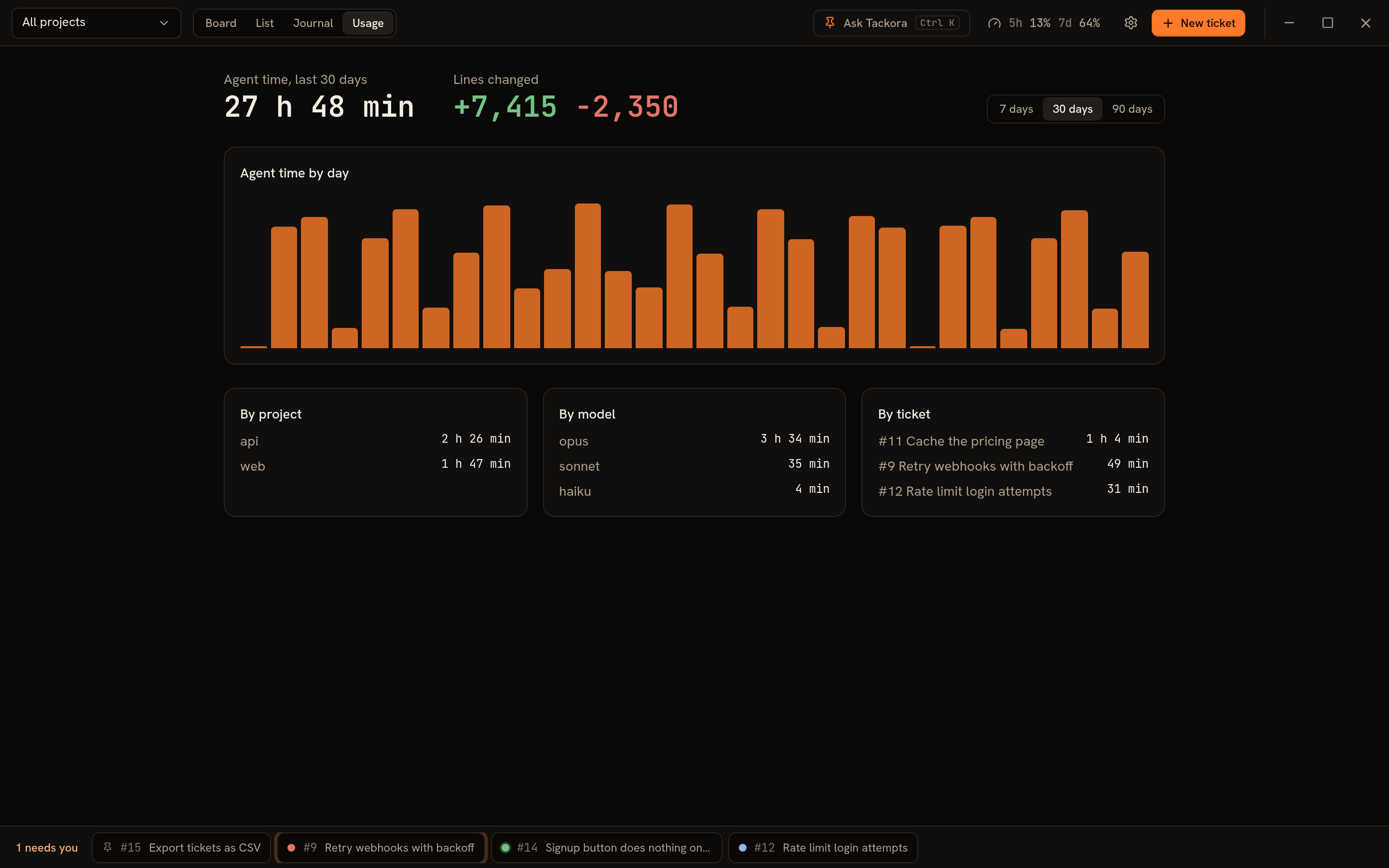
Your 5-hour and 7-day plan usage stays in the top bar, next to the account and plan you're signed in with. Each card shows its session's context size and the lines Claude changed, and the Usage page adds up agent time per project, model and day.
What you need
- Linux or Windows 10 or 11, 64-bit
git, andghif you want pull requests- Claude Code, signed in with a Pro, Max, Team or Enterprise plan